Persona // Redesigning the configuration tools behind visual fraud analysis.
Context // Graph is a Persona product that highlights shared data between accounts [such as name, email address, etc.] to make fraud rings more discoverable.
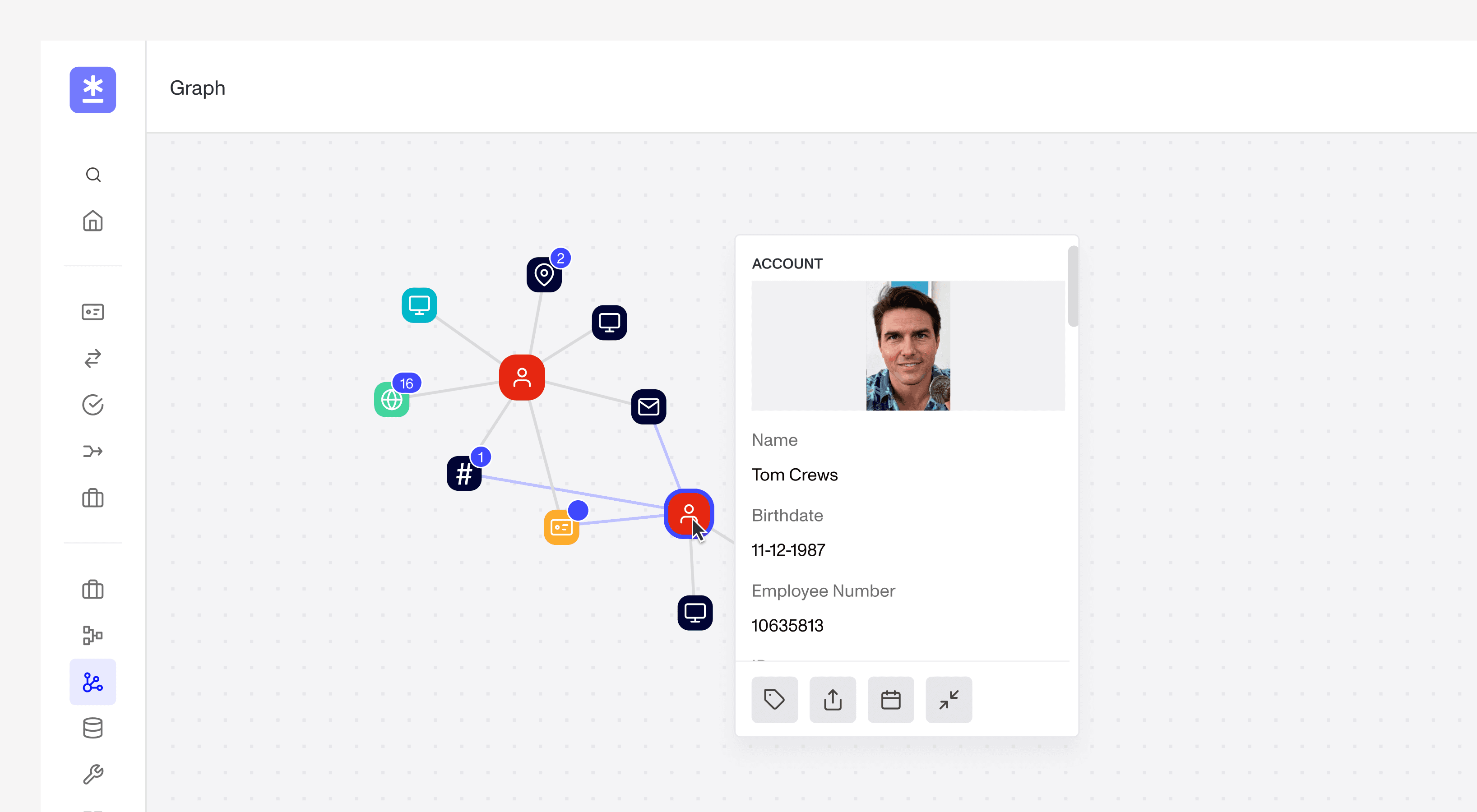
Graph allows fraud analysis teams to search all of the accounts in their organization for shared data. In this case, their are two accounts with the same name, birthdate, and employee number, which is either an erroneous duplicate or clear-cut fraudulent activity.
Graph comes prepackaged with a handful of property nodes, such as email address, birthdate, name, IP address, and much more, but it doesn’t cover every use case. Custom nodes allow organizations to create property nodes that fit specific use cases, such as nodes for employee ID numbers, and/or specific document types.
The Brief // Overhaul Graph Configuration, without any backend changes to boost adoption outside of account teams.
Graph Configuration is a high-density surface built to help fraud teams optimize Persona's link-analysis tool for their usage. It houses organization-specific settings, custom colouring rules, and most notably, the interface for creating and editing custom property nodes. Historically, the surface favoured a utility-first approach—prioritizing maximum functionality at the direct expense of ease of use. The following shows snippets of the node creation process.
User selects from a laundry list of functions and configures the function inputs
in a separate tab, the user maps the functions to outputs in the node
Research // Uncovering simple needs in a complex tool.
I started by digging into the feature's technical complexity. I audited the codebase and mapped out the system using internal documentation. This helped me establish clear boundaries for the project. By understanding these technical constraints early on, I knew exactly how far I could simplify the interface through a frontend refactor and maintain feature parity.
Understanding complexities
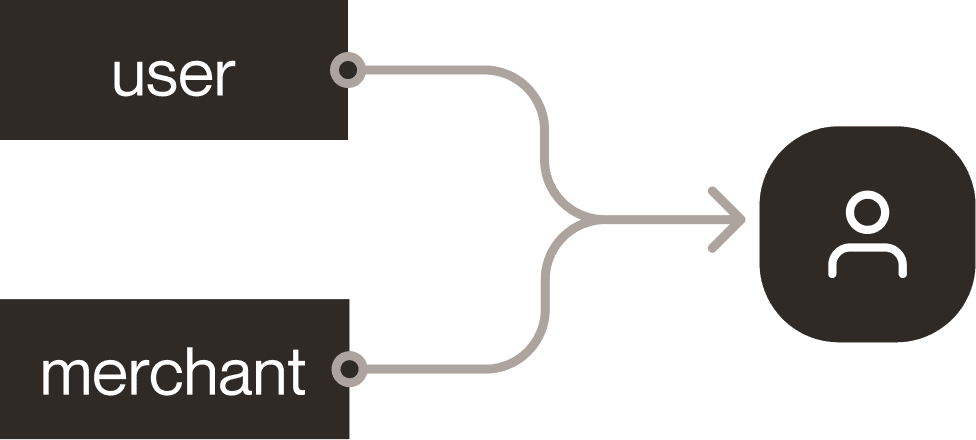
Complexity 001 // Custom nodes that read data from multiple account types simultaneously. For example, a gig-economy workflow might require checking for shared data across both users and drivers, each of which uses a completely different data schema.
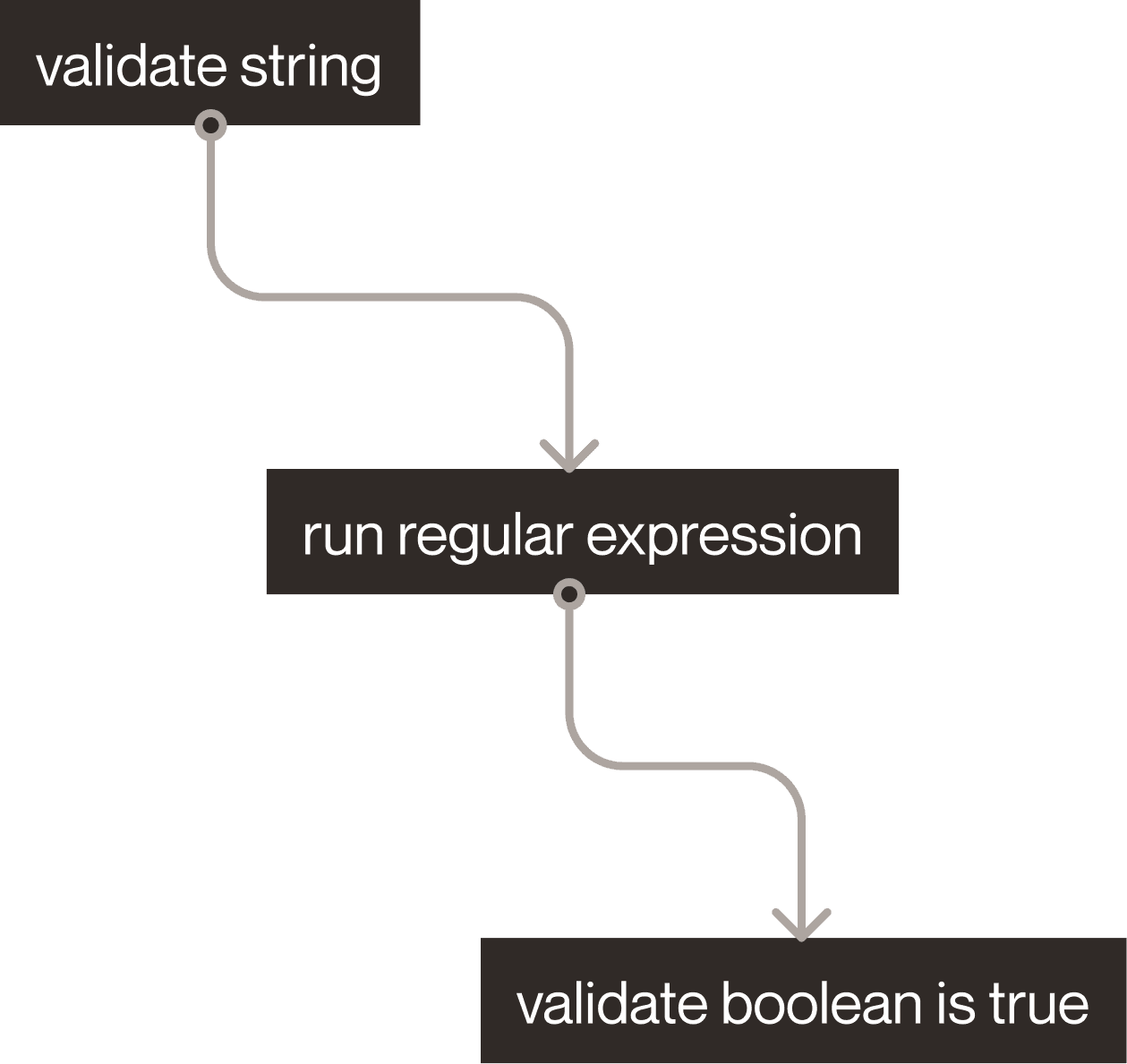
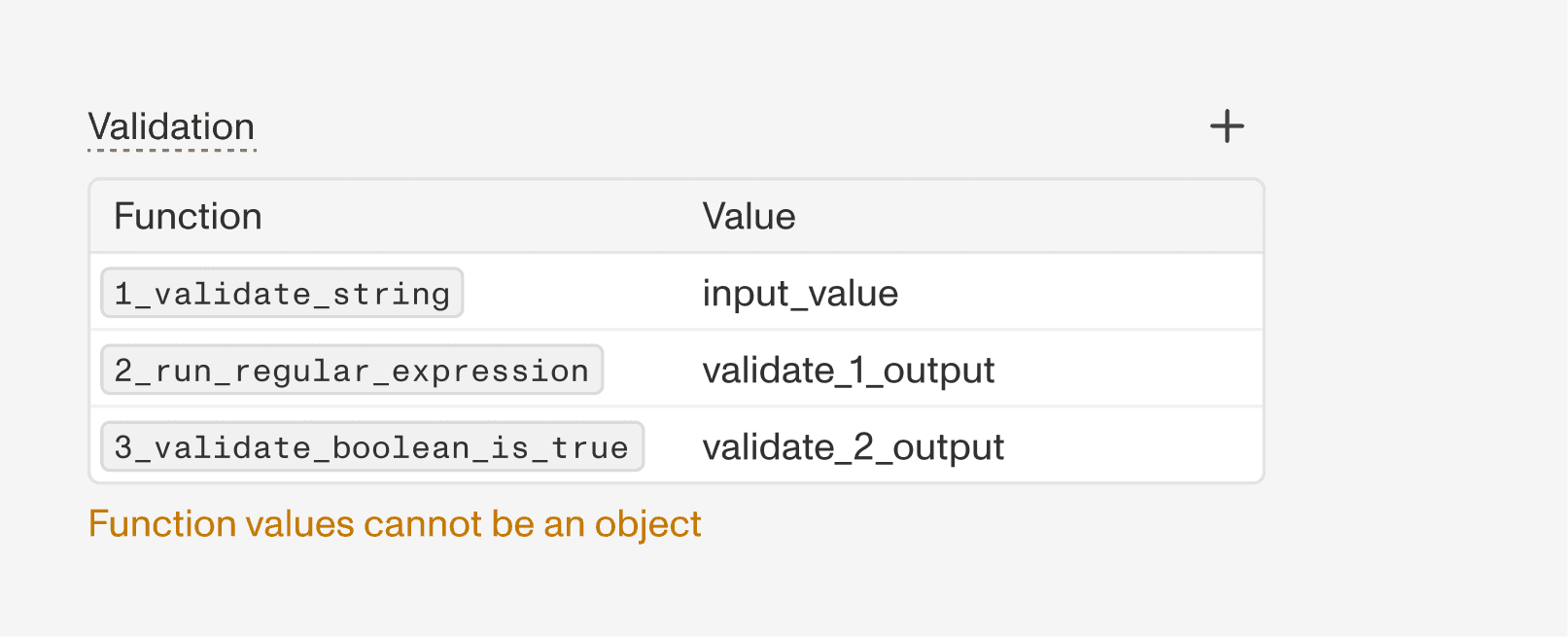
Complexity 002 // Custom nodes that chain multiple functions together in sequence. These functions might validate data (determining if a node should be created) or sanitize data (cleaning up raw values before output), often feeding directly into one another.
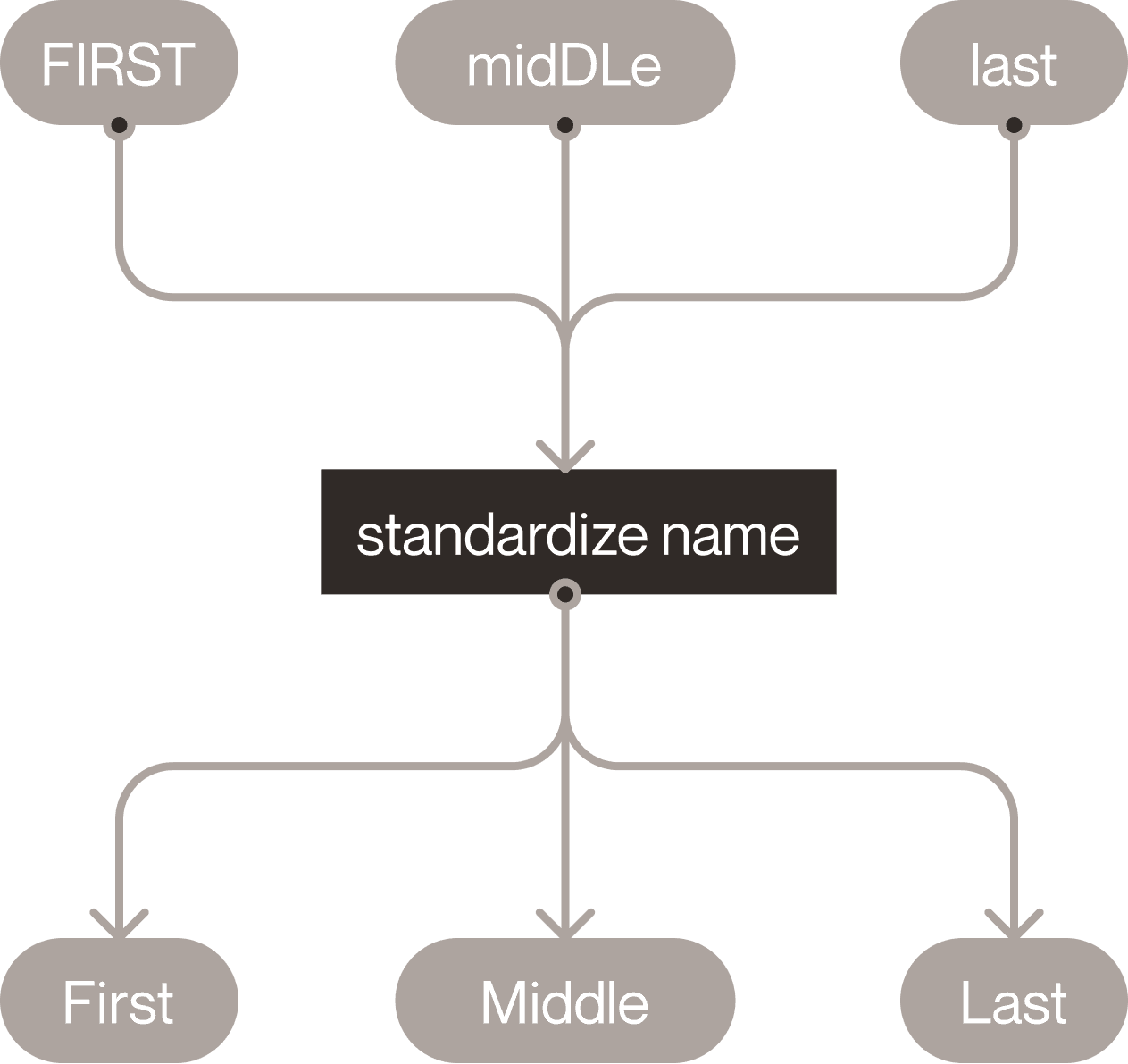
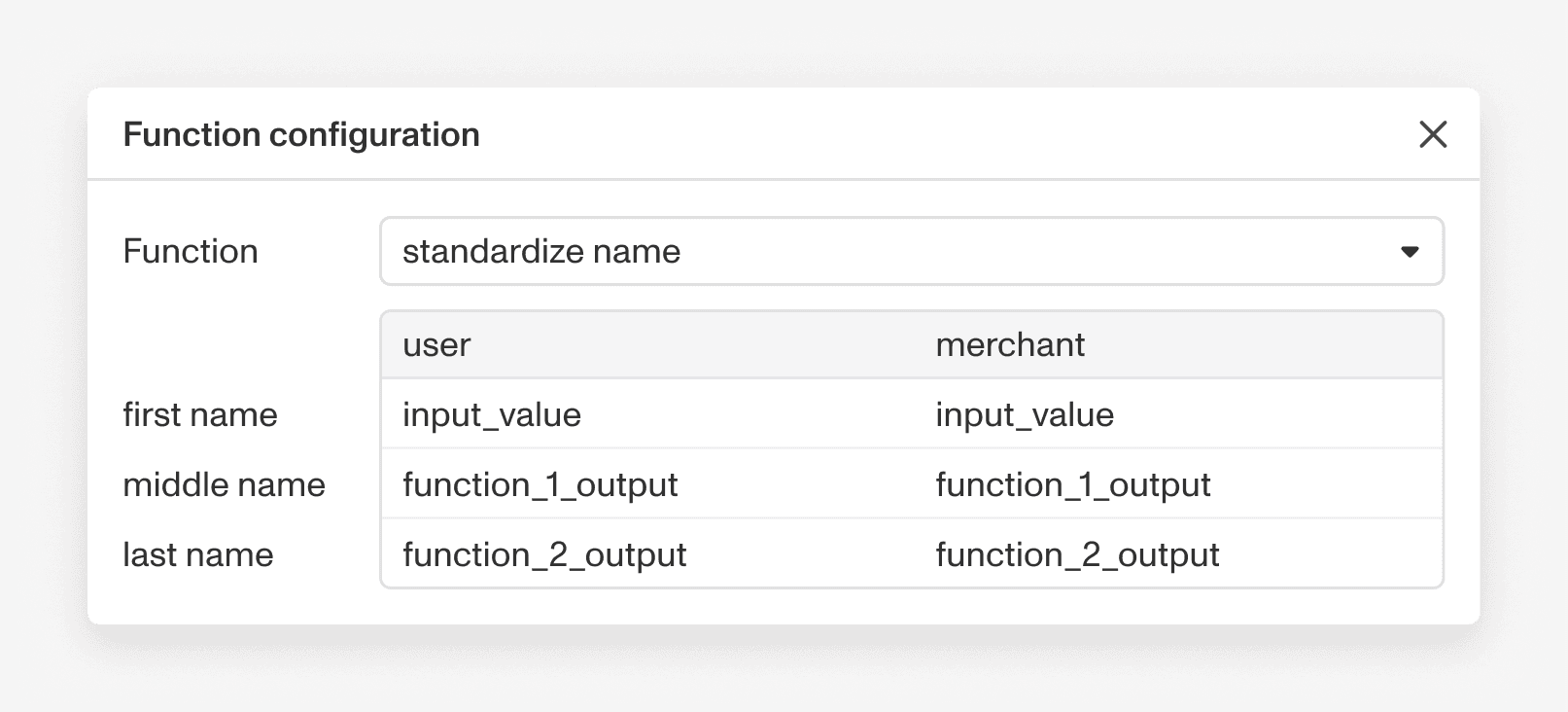
Complexity 003 // Complex functions that require or produce multiple data fields at once. For example, a function that standardizes names requires three distinct inputs (first, middle, and last name), making it difficult to cleanly chain back-to-back with other functions.
Users want something linear
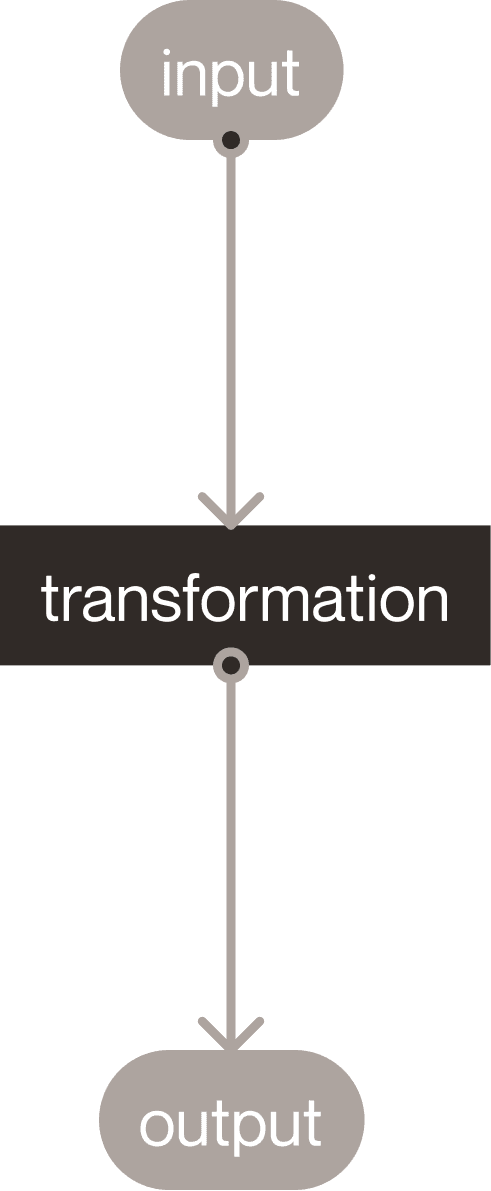
I interviewed power users and internal novices to evaluate ease of use and map friction points across different levels of technical expertise. The core takeaway was that users expected a linear workflow: defining a data field, transforming it, and mapping its output before moving on to the next field.
The novice users, with existing understanding of Persona's products, and Graph functionality, were unable to effectively navigate the configuration surface.
Real-world usage is remarkably simple
64%
organizations with custom nodes use 2 or more.
90%
of custom nodes use one source, one function, and one output.
Pain Points // Disjointed, high-friction, and low guidance.
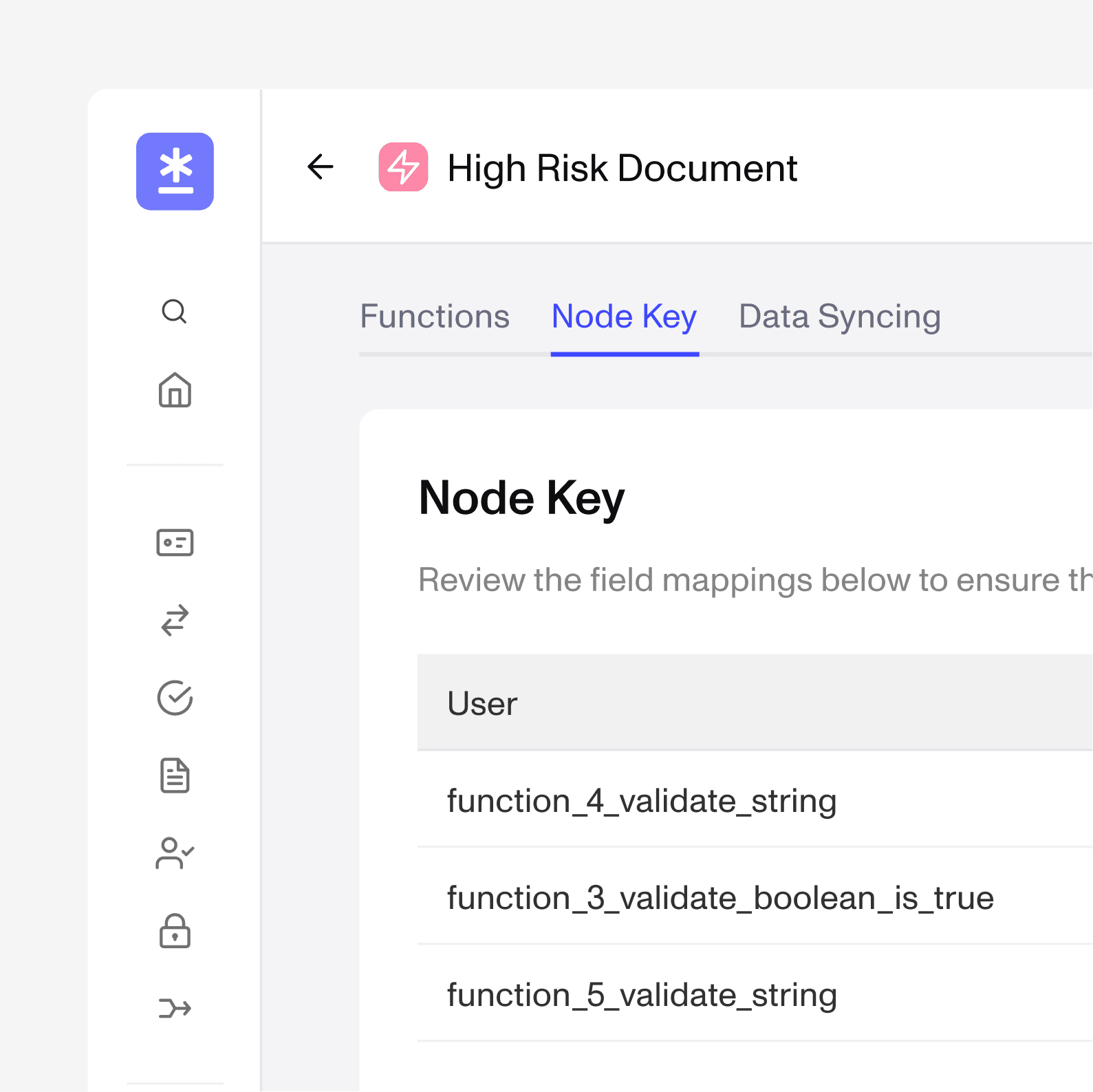
Pain Point 001 // Fragmented editing experience. Node creation is split across three screens and does not make use of the hover card, which is the primary visual reference in the node editing process. This forces heavy context-switching and makes editing existing custom nodes much harder.
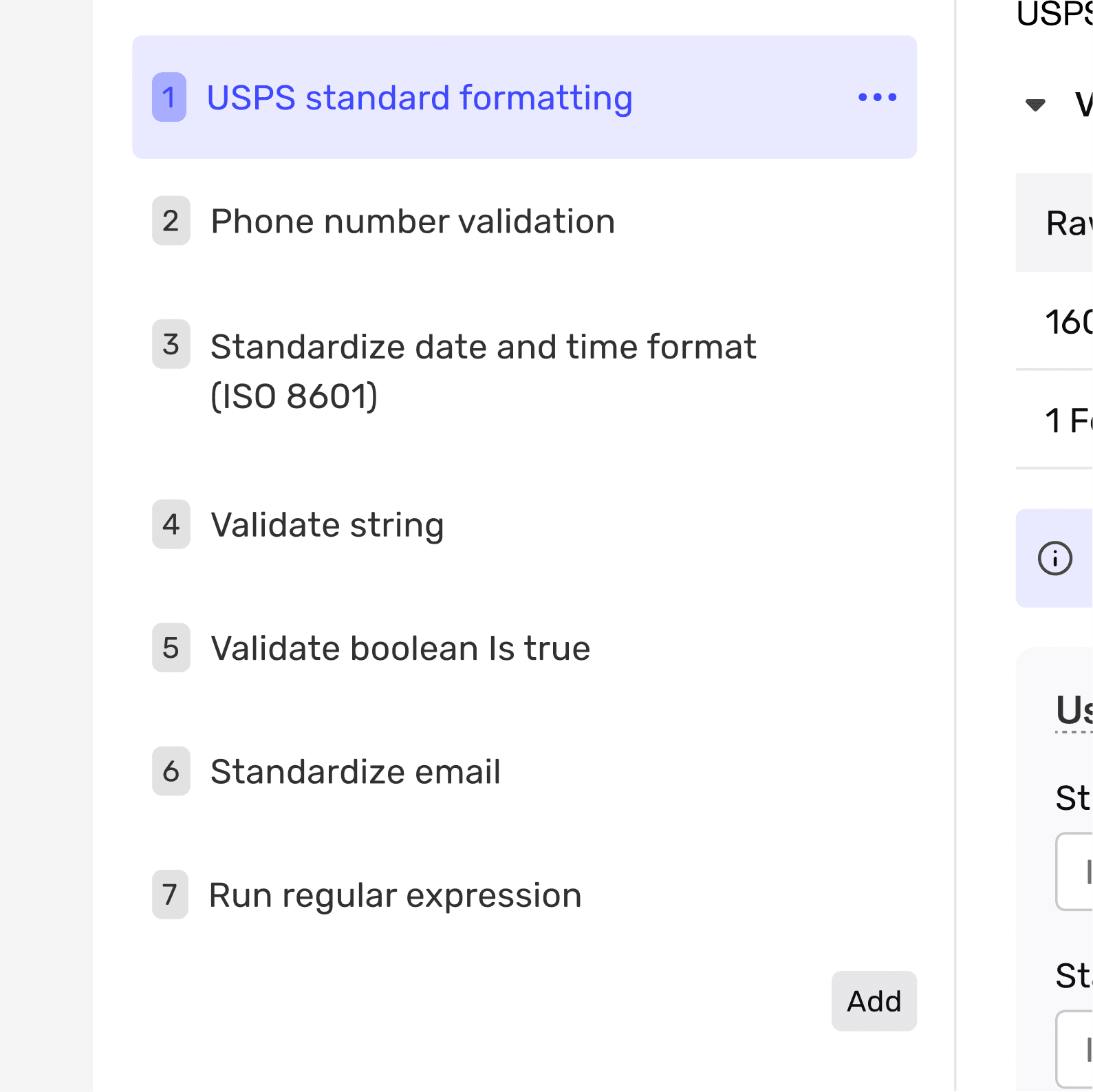
Pain Point 002 // Backwards mental model. The system forces users to choose a transformation function before selecting the actual data field they want to change. This reverses how people naturally think and adds unnecessary complexity to what should be a simple, step-by-step process
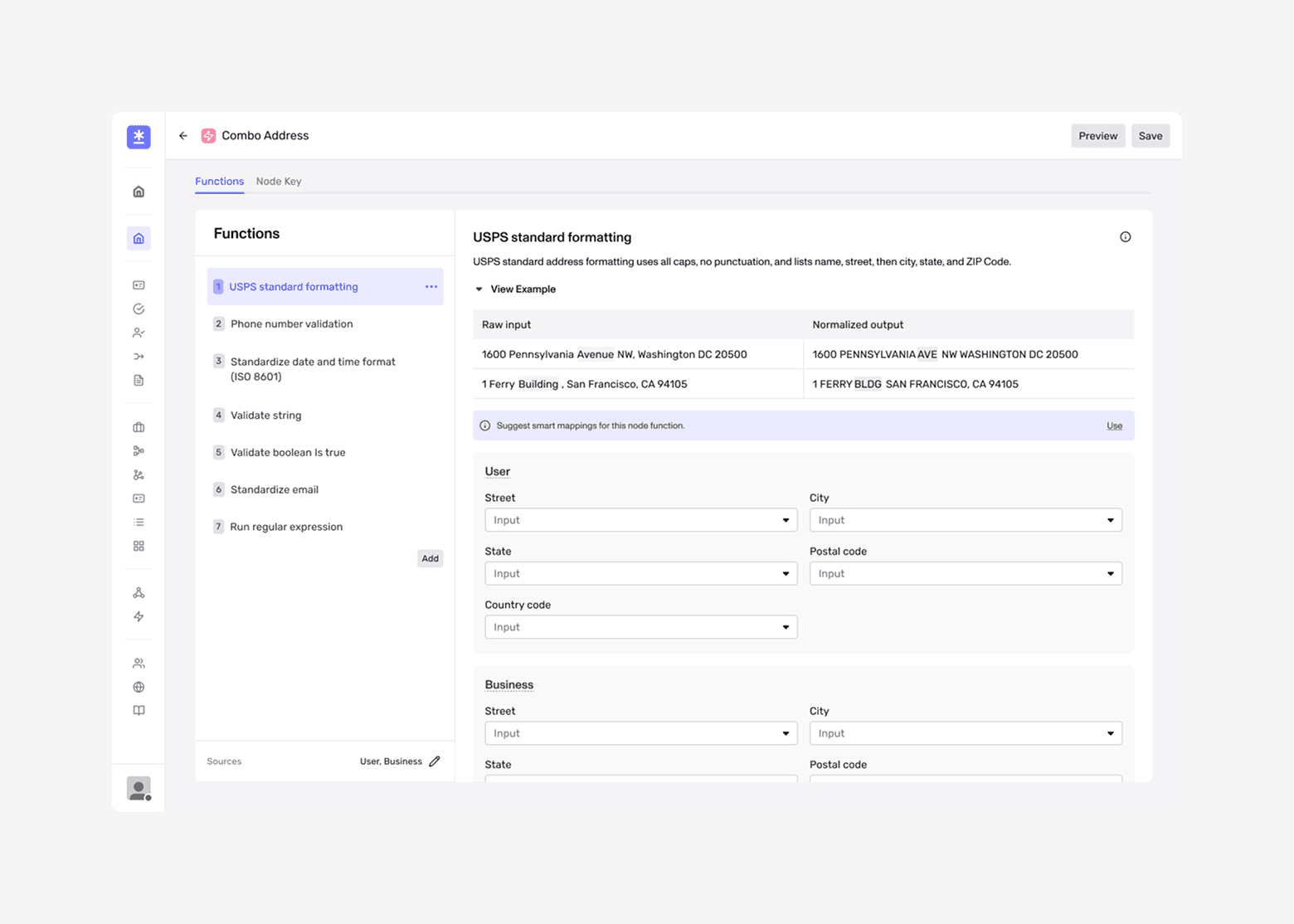
Pain Point 003 // Too open-ended, no guardrails. The original design was primed for maximum configurability, making it easy for users to create breaking configurations. By shifting our focus to support the most common use cases, we can introduce protective boundaries that make the editing process much safer and more straightforward.
Iterations // Uncovering Simple Needs in a Complex Tool.
Iteration 001
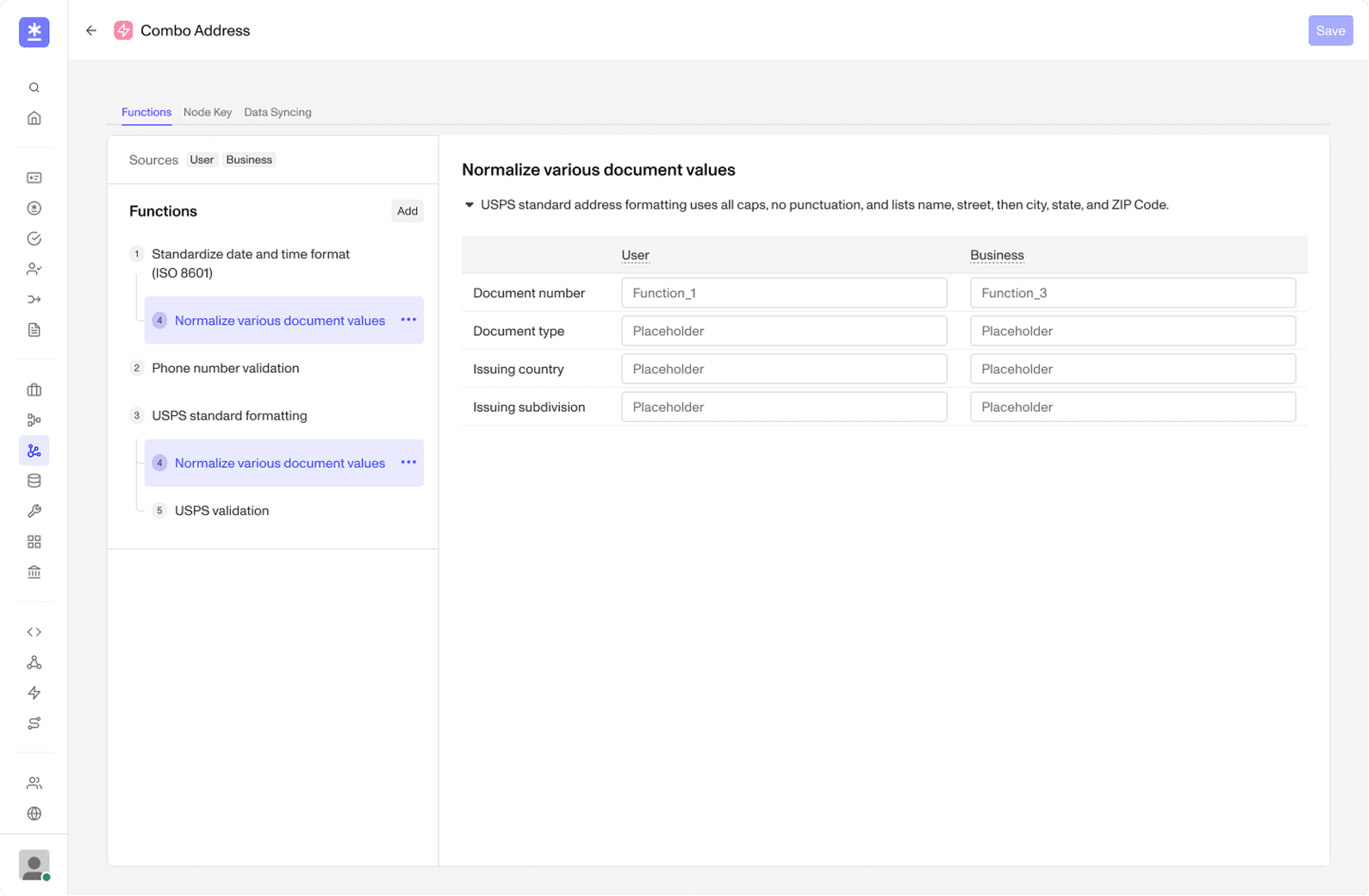
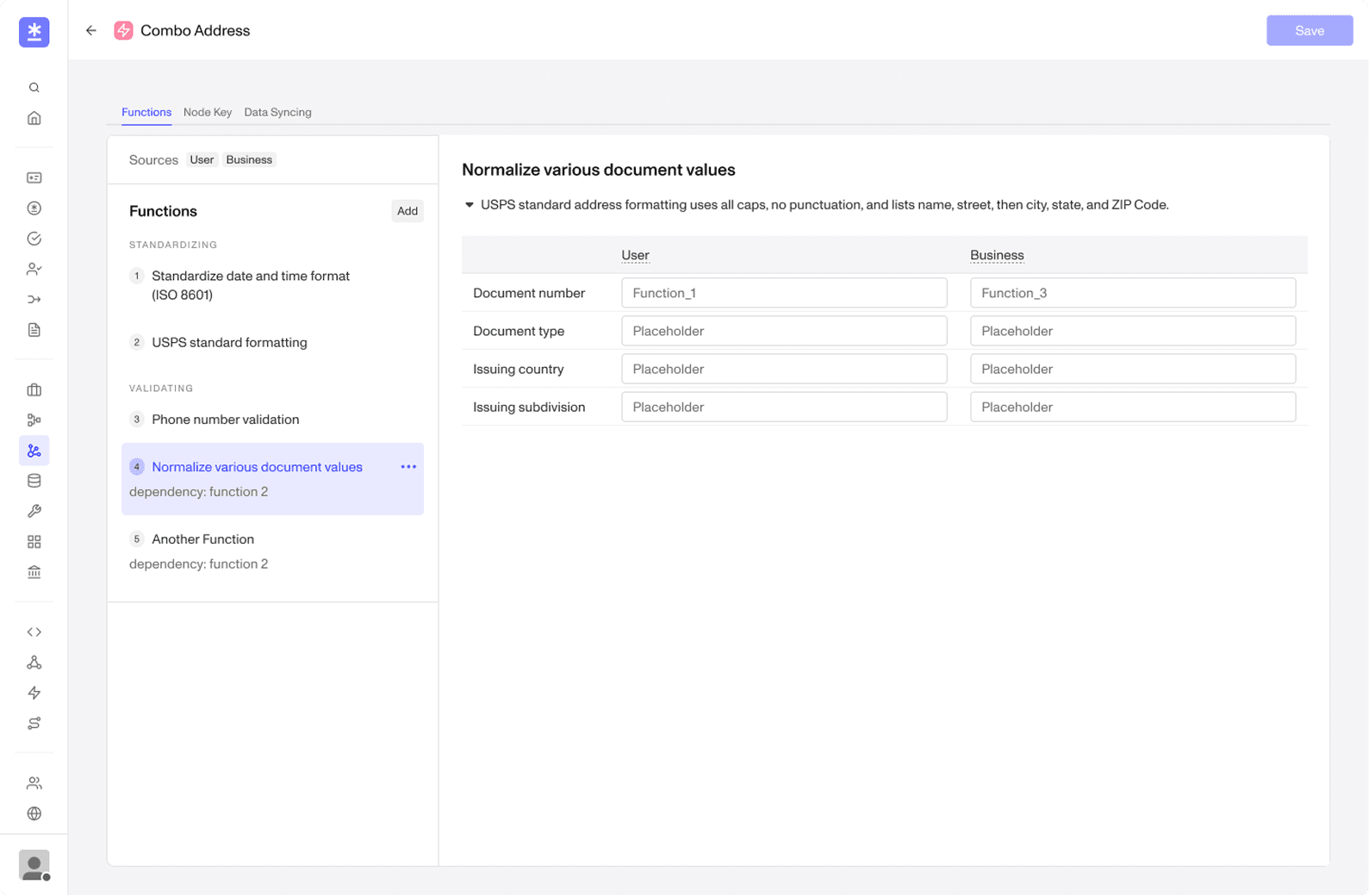
Iteration 002
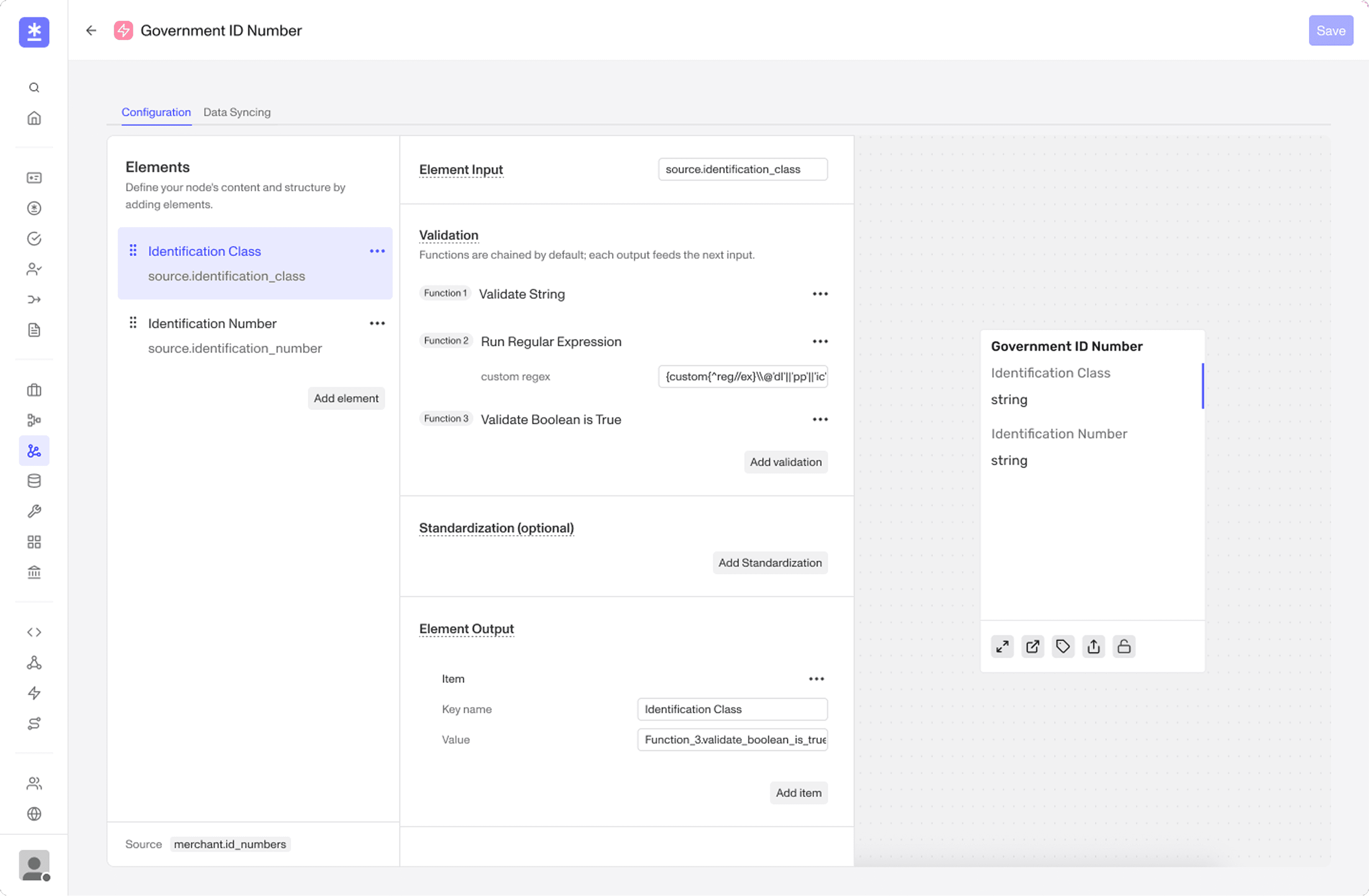
Iteration 003
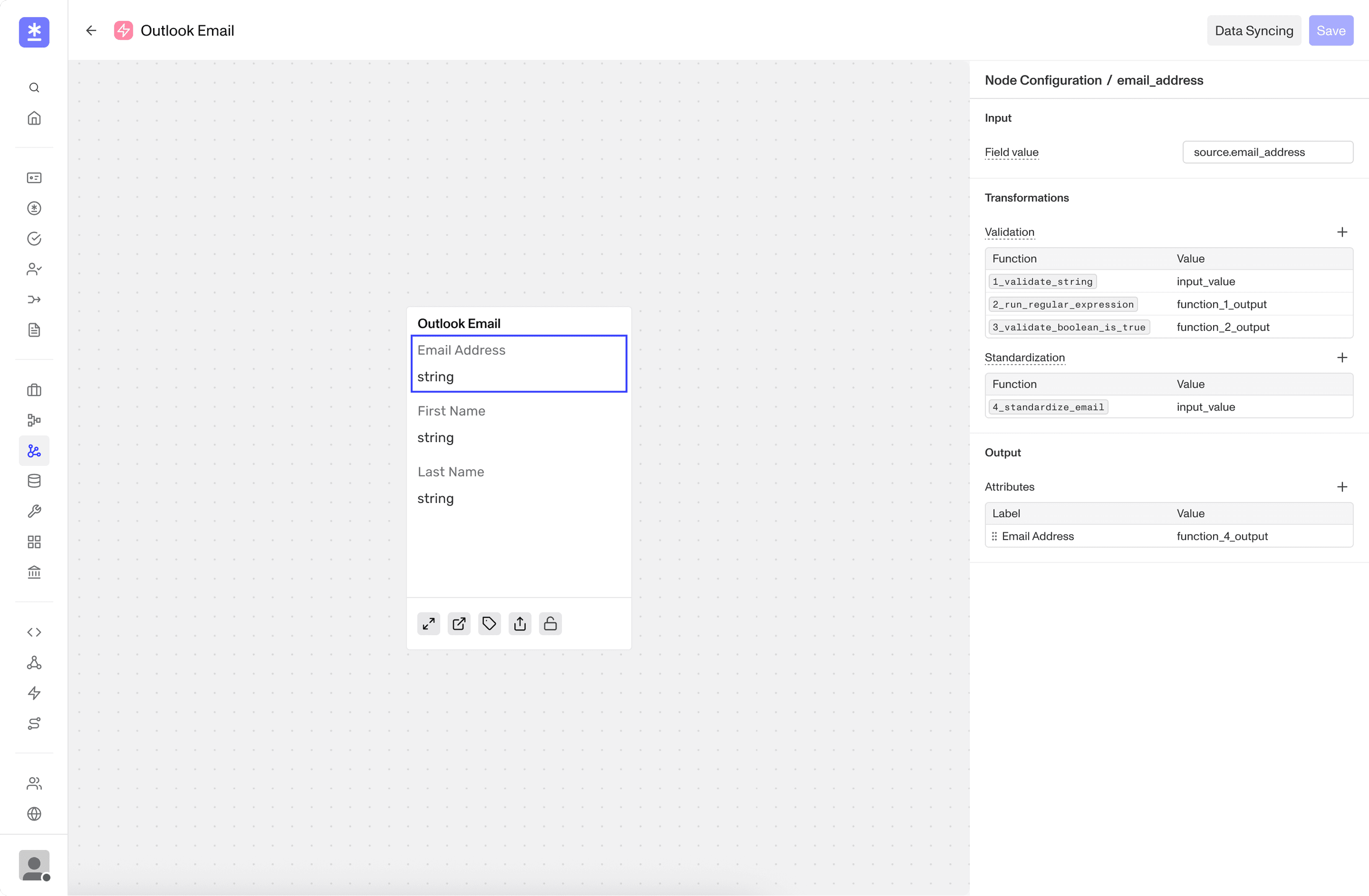
Key Decisions // Making it simple and familiar without limiting functionality.
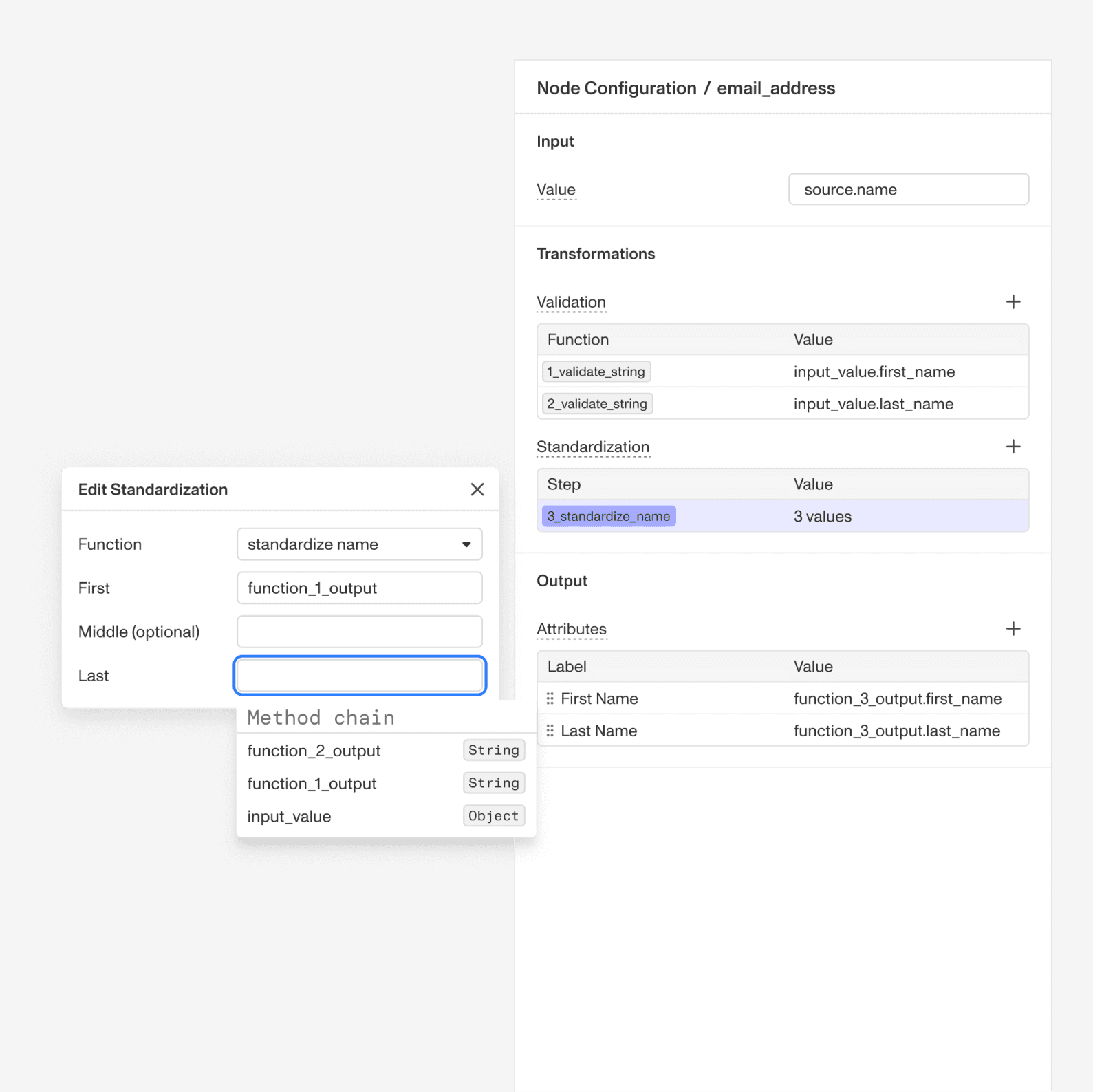
Field-First Configuration. This change locks in a simple, step-by-step flow: [ input → transformations → output ]. The interface now automatically hides choices that don't fit based on what the user selects.
This decision dramatically simplifies configuration for 90% of usage, without restricting configurability.
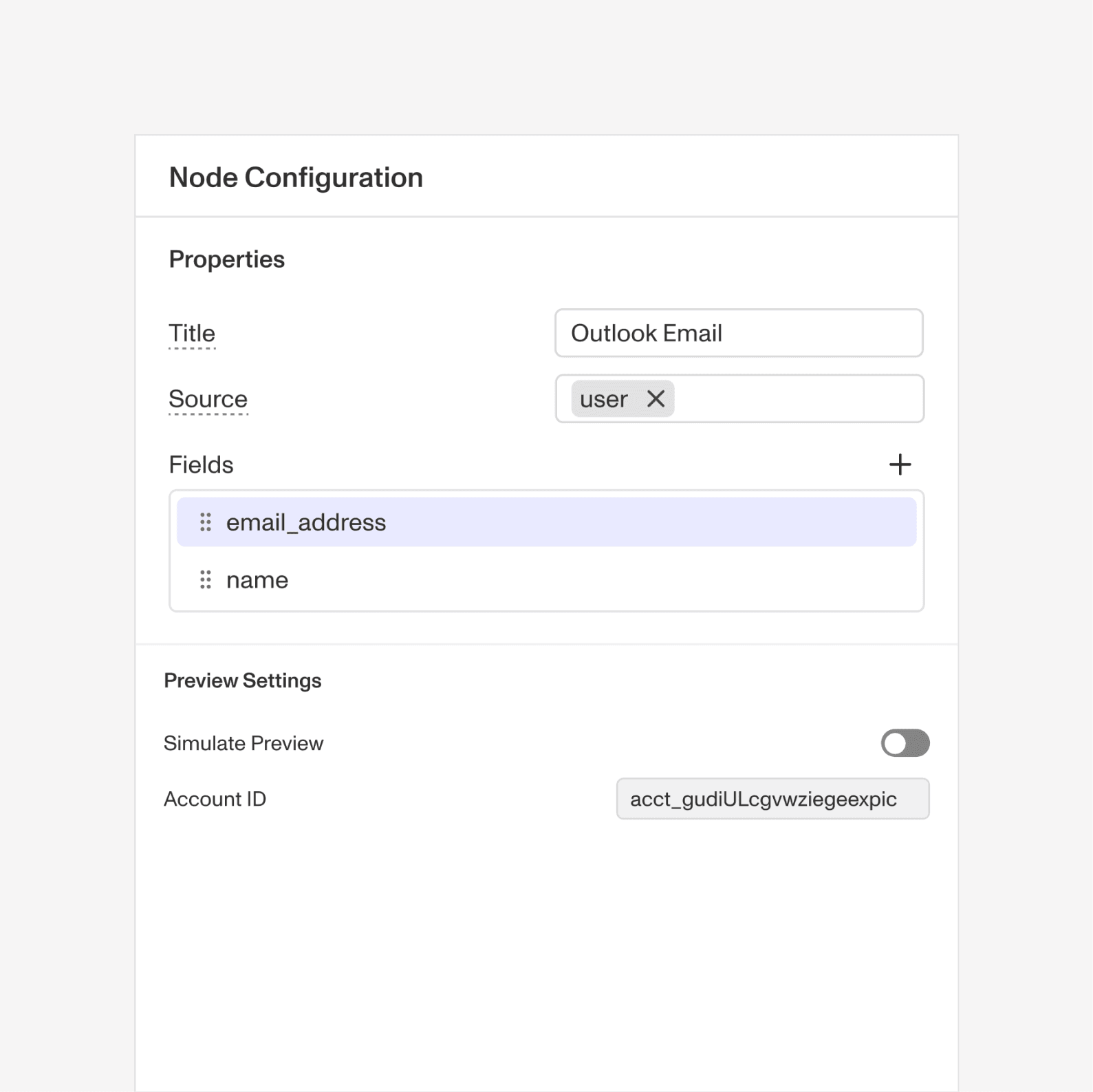
A unified intent-based interface. Used natural overlap between functions, node key and the hover card to tie together previously distinct and separate features.
Using radical progressive disclosure to make the surface less overbearing for all builders.
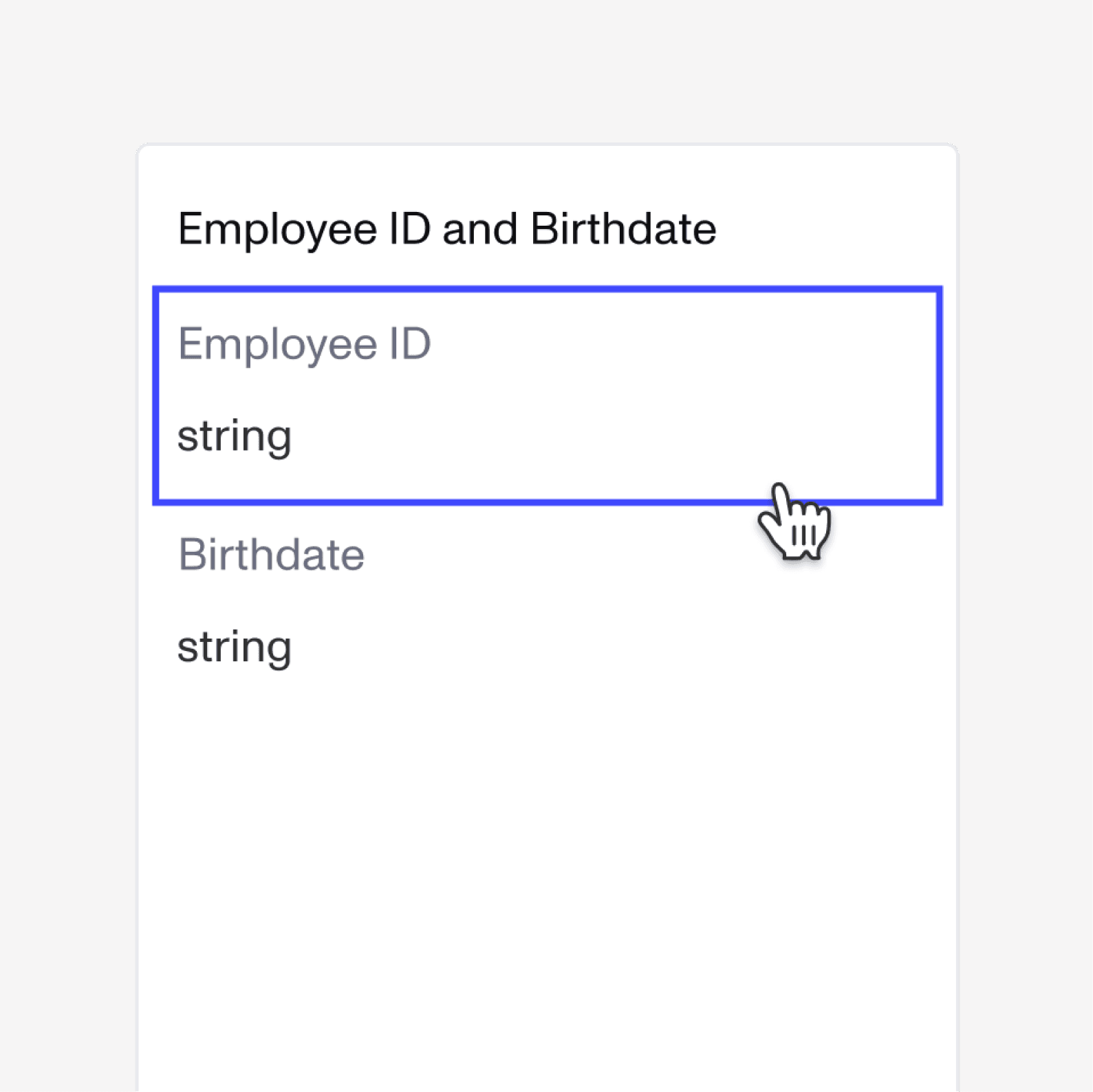
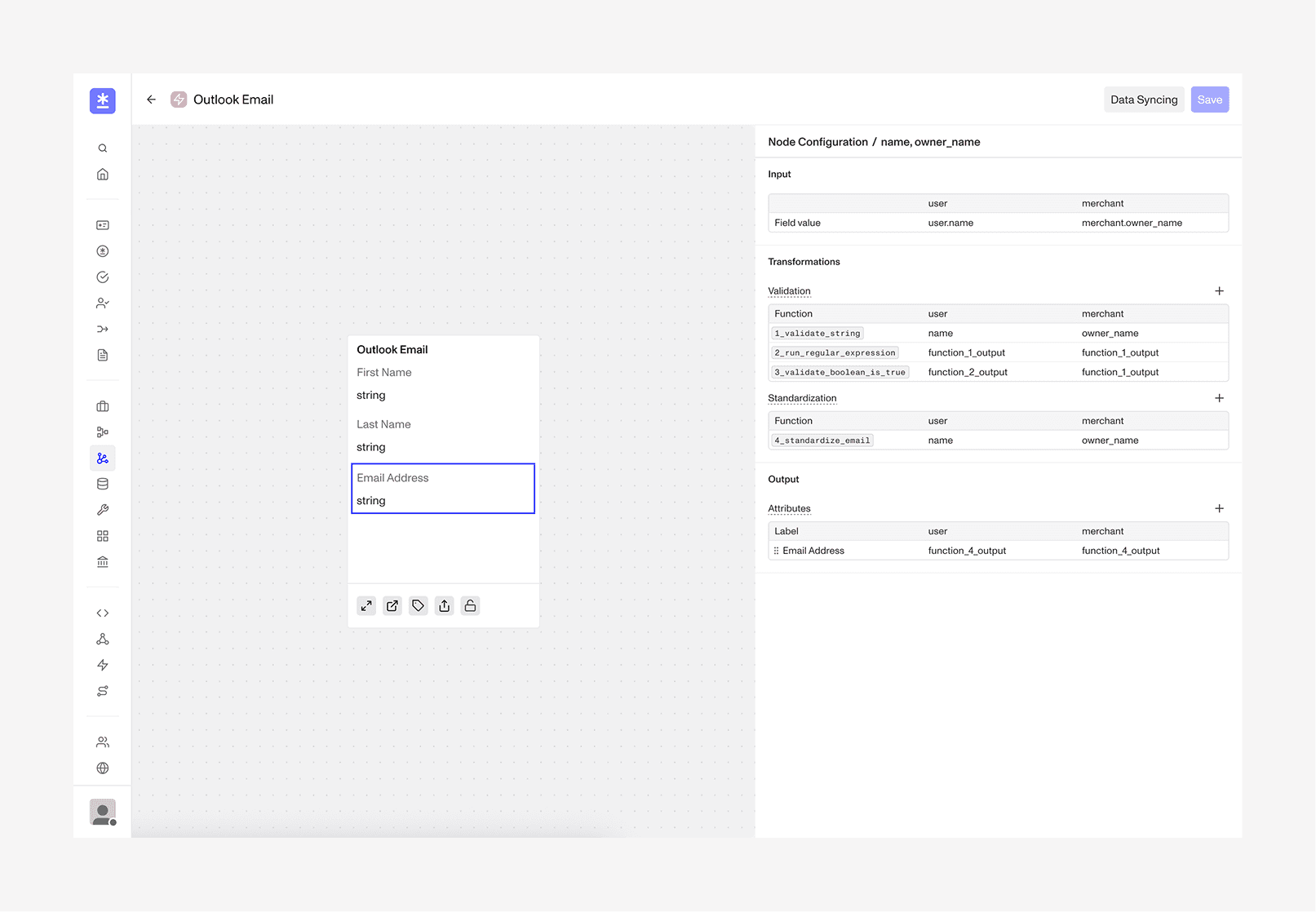
Canvas-Based Experience. Introduced a canvas-based interface with an integrated hover card for quicker user-feedback and to reinforce natural user behaviours.
This makes configuration far less intimidating by using a familiar panel layout and using the hover card as a constant visual reference.
Final Designs // Take a look
Adding a field
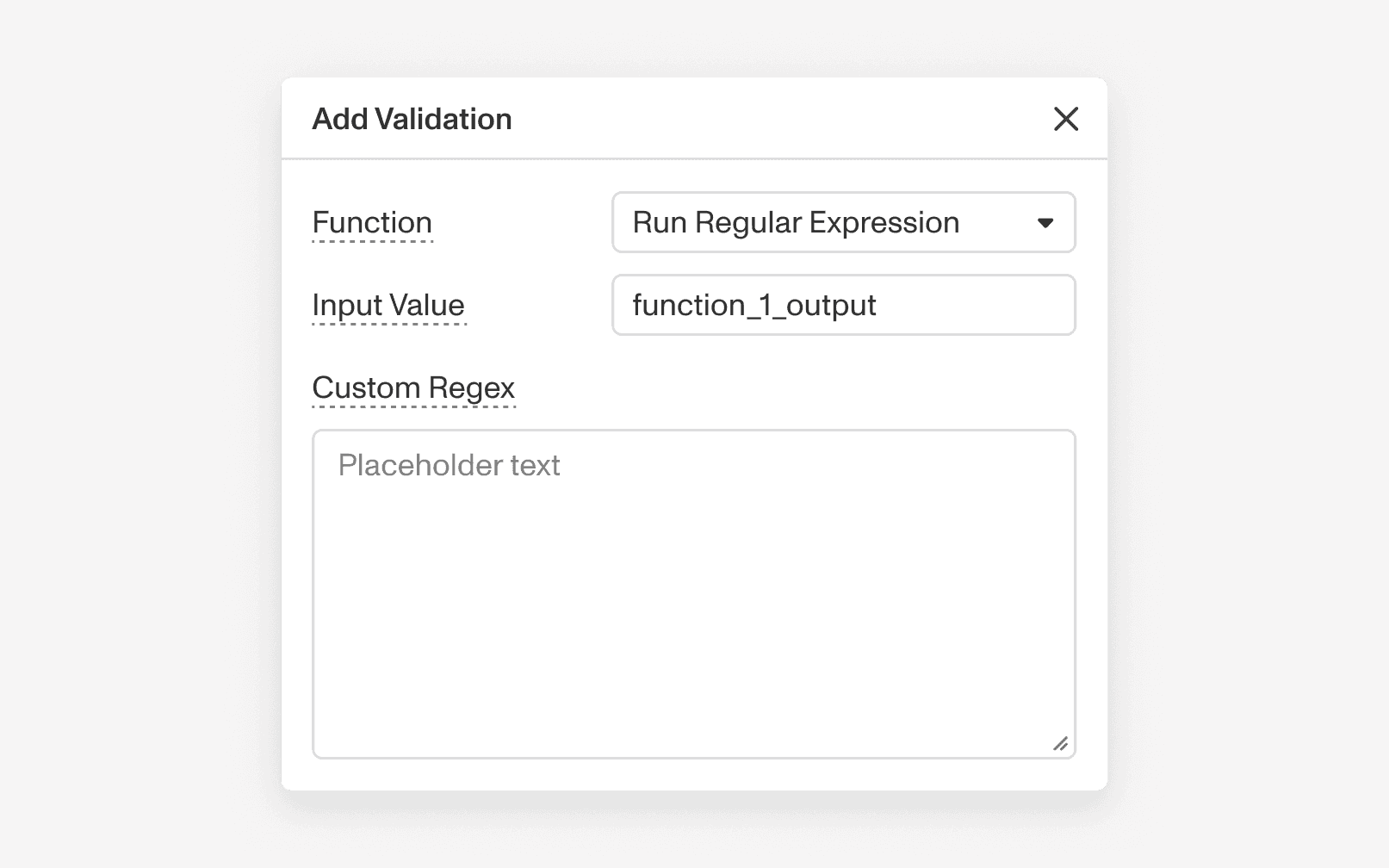
Adding a function
Adding an output
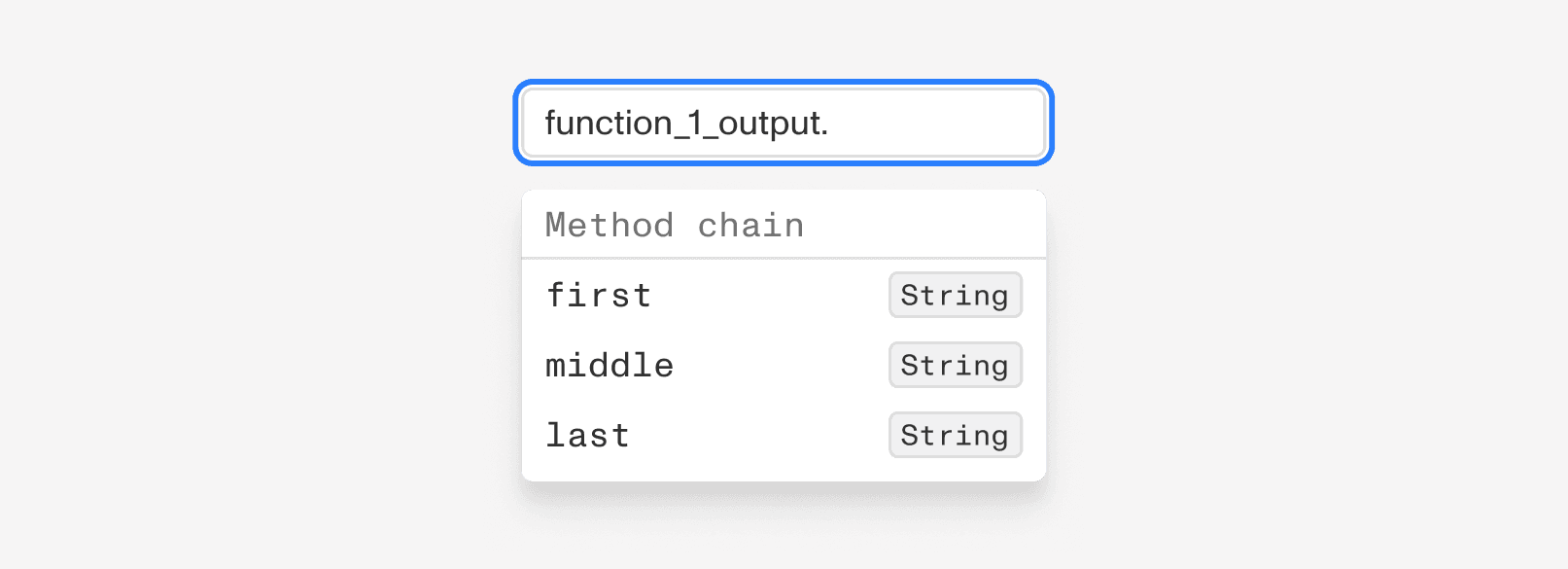
Snippets & edge cases
Takeaways // AI Prototyping, && Designing for Complexity
Know when you're prototyping, and know when you're developing. AI is a great accelerant, but it can trap you into over-indexing on a specific approach, or tiny details too early. The real value of designing in code is creating something tangible so testers can simply feel the interaction rather than imagine it. You can achieve that validation even when text sizes are a bit off or animations are rough. Don't jump into prototyping tools until you've done the foundational thinking, and save the final polish for when you bring the work back into Figma.
Complexity doesn't need to be felt by the user. Business logic or developer constraints shouldn't clutter the product. Our job is to advocate for the best possible user experience by hiding things that don't serve the person using it. Design intelligently by critically thinking about what to leave out of the ideal experience.